

A documented data flow
A privacy-first start page with specific limits
Mist — Minimal New Tab has no account or extension telemetry and keeps your configuration and shortcut icons in browser storage. Optional weather and feedback use clearly documented network requests.
The problem
“Private” is too vague without a data map
A new-tab extension can see the information you type into its own page, store preferences and request access to outside services. Some products add accounts or analytics; others operate mostly in the browser. The label alone does not explain which path your data takes.
A useful privacy review asks four questions: what is stored, where it is stored, which permissions are requested and which network providers receive a request.
Direct answer
What Mist keeps local—and what it does not
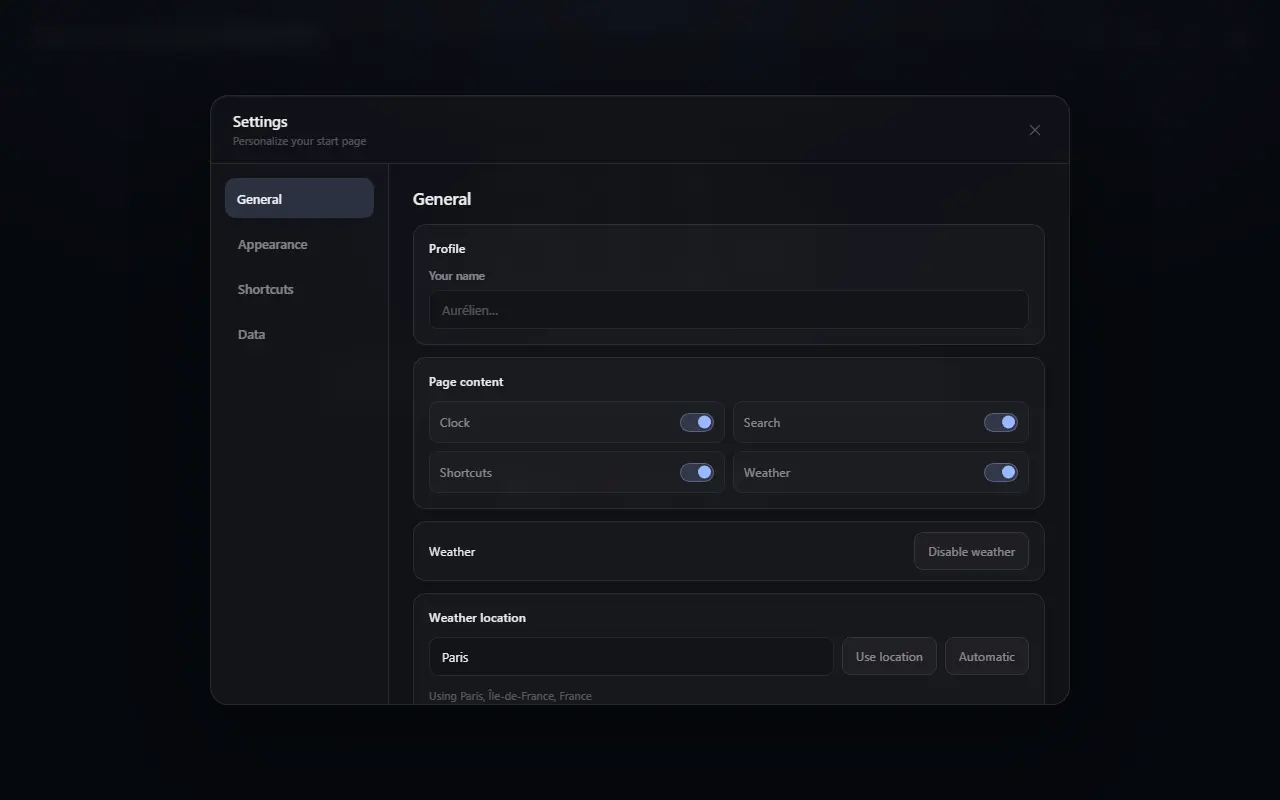
Shortcut groups, themes, your optional name and display preferences are stored in the extension’s local browser storage. Mist has no analytics script and does not upload that configuration automatically.
Network access is feature-specific. A private appearance link is created only after you review its allowlisted fields; a custom background additionally requires a rights and access confirmation. Weather may contact Open-Meteo and, for automatic location, GeoJS or ipapi. Shortcut icons remain local. Feedback is sent through a developer-operated Netlify function only after you submit the form.
Why it helps
Benefits tied to this use case
No profile required
There is no Mist account database or sign-in step attached to a shortcut configuration.
Optional host access
Weather and feedback hosts are declared as optional permissions and requested when the feature is used.
Portable by user action
A configuration leaves the device only when you export a JSON file or invoke an optional network feature.
How it works
Build the page in deliberate steps
- 01
Read the permission prompt
Check whether access is broad or limited to the service needed for the selected feature.
- 02
Choose a weather mode
Enter a city or postal code, allow an approximate lookup, or keep weather disabled.
- 03
Review external services
The privacy policy names each provider and the normal connection data it receives.
- 04
Remove local data when wanted
Edit shortcuts, disable weather, clear extension data or uninstall Mist from Chrome.
Concrete situations
Where this setup earns its place
No-account browsing setup
Keep a personalized launchpad without creating another identity or sync service.
Weather with an explicit choice
Use a city you enter instead of automatic location, or leave the feature off.
Auditable optional feedback
Opening the form sends nothing; submission sends only the fields documented in the policy.
Available in Mist now
Features relevant to this page
- Local settings
- Groups, shortcuts, theme, name and visibility choices remain in Chrome extension storage.
- No extension telemetry
- The extension sends no product analytics. The public website uses separate cookie-free aggregate measurement without advertising tracking.
- Approximate—not precise—weather location
- Mist never asks for the browser’s precise geolocation permission.
- Explicit export
- JSON export is a visible user action, not a silent remote backup.
Limitations and trade-offs
Network access is visible and controllable
A provider contacted by your browser receives ordinary connection information, including an IP address. Google favicons are enabled by default for visible shortcuts; only the shortcut domain is included, and the setting can be disabled.
For an entirely local start page, disable Google favicons, keep weather disabled and do not submit the optional feedback form. Custom shortcut icons remain local and take priority.
An honest comparison
How to compare privacy across start pages
Count neither features nor permissions in isolation. A permission may be optional and narrowly scoped, while a permission-free page can still load remote resources. Review the Store disclosure, privacy policy, network services and whether the code is available for inspection.
Mist’s approach is local-first configuration with documented optional services. Other products may offer account sync or proxy external requests, which can be useful but create a different data flow.
Specific answers
Questions people ask before choosing
Does Mist collect analytics?
The extension sends no product analytics or telemetry. Local review-prompt counters stay in the browser. The public website uses separate cookie-free aggregate measurement as documented in the privacy policy.
Does Mist know my precise location?
No. Mist does not request precise browser geolocation. Weather can use a city/postal code or an approximate city derived from an IP request.
Are shortcut domains sent to an icon service?
Yes, while Google favicons are enabled. Mist sends only the visible shortcut domain and you can disable this setting at any time. Custom icons remain local and always take priority.
Can I use Mist without weather?
Yes. Weather is optional and can be declined or disabled at any time.