

Practical Chrome customization
Customize Chrome’s new tab around your routine
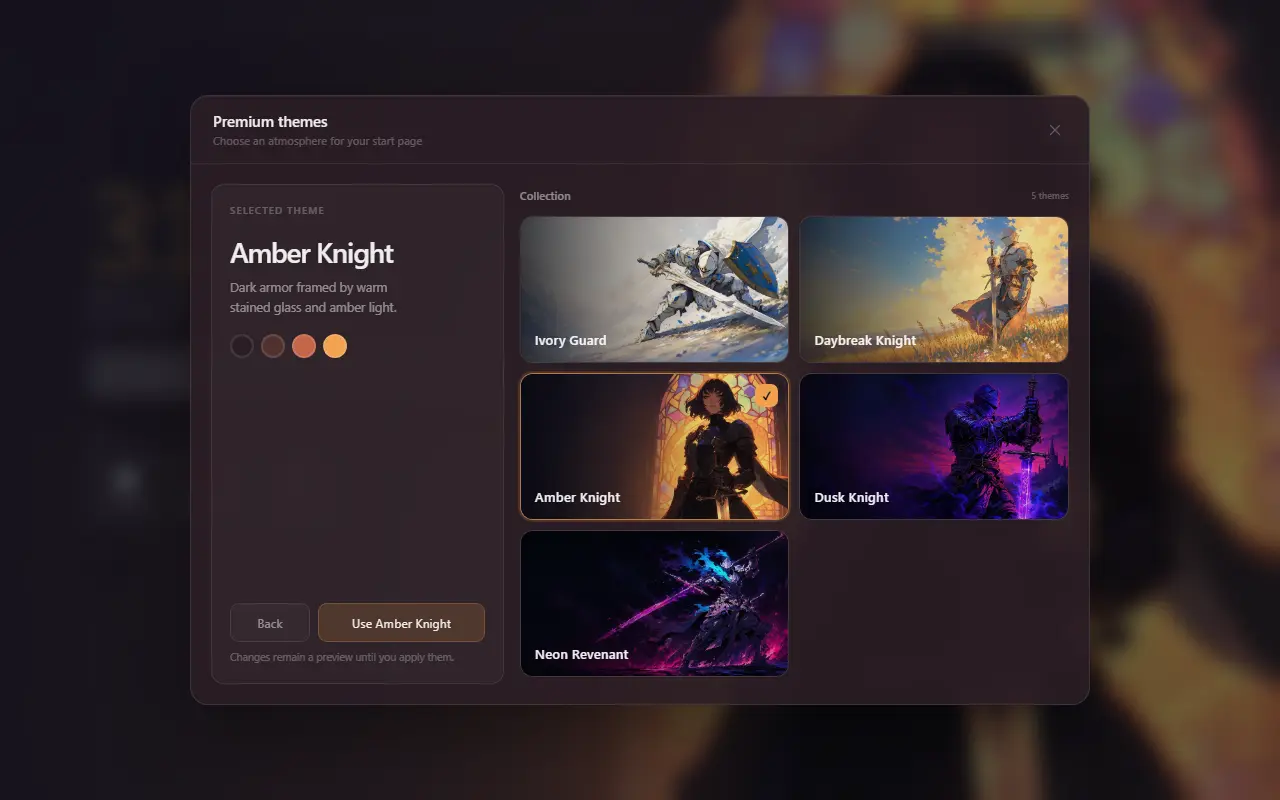
Change more than a background. Mist lets you organize shortcut groups, choose a visual style and decide whether search, clock and weather appear on every new tab.
The problem
Chrome’s built-in controls cover the basics
Chrome can show your own shortcuts or frequently visited sites, hide shortcuts, select a theme and upload a background image. Those controls are a good fit when you want a familiar page with light personalization.
They become limiting when you want named shortcut groups, a portable configuration, independent visibility controls or a new-tab layout that is not tied to Chrome’s default page.
Direct answer
Choose the level of customization you actually need
Start with Chrome’s native Customize Chrome panel. If it covers your needs, there is no reason to add an extension. Choose a new-tab extension only when its extra layout and workflow controls justify the additional software.
Mist adds grouped shortcuts, drag-and-drop editing, JSON import/export, multiple themes, browser-default search and optional weather. These controls stay in one settings panel and do not require a profile.
Why it helps
Benefits tied to this use case
Separate content from appearance
Change a color or illustrated theme while leaving your shortcut structure intact.
Control each visible element
Show or hide clock, search, shortcut groups and weather independently.
Move a setup deliberately
Export shortcuts or a full JSON configuration instead of depending on a Mist account.
How it works
Build the page in deliberate steps
- 01
Decide what belongs on every new tab
List the few destinations and pieces of information that deserve repeated visibility.
- 02
Create a small group structure
Use names based on contexts such as Work, Study or Personal rather than broad bookmark archives.
- 03
Pick a visual baseline
Choose a simple color for low distraction or an illustrated theme when atmosphere matters.
- 04
Export after the layout settles
Keep a JSON backup before making large changes or moving to another Chrome profile.
Concrete situations
Where this setup earns its place
Separate project contexts
Keep client tools, personal services and reference sites in visible groups.
Design for different times of day
Use a restrained base color for work or a warmer illustrated theme for personal browsing.
Reduce accidental browsing
Replace automatically suggested sites with destinations you selected intentionally.
Available in Mist now
Features relevant to this page
- Five base colors
- Dark, Midnight, Forest, Rose and Sand offer lightweight visual changes.
- Five illustrated themes
- Signature environments add atmosphere while preserving the same functional layout.
- Custom theme builder
- Use a correctly sized PNG or JPG and adjust the four-color palette generated from the image.
- Shortcut editing
- Add labels and URLs, reorder links by drag and drop and choose current- or new-tab opening.
- Display preferences
- Choose temperature units, 12/24-hour time, search autofocus and optional page elements.
Limitations and trade-offs
Customization has a maintenance cost
Every extra widget becomes another item to scan and another service that may need data. A durable setup usually has fewer groups and controls than the first draft.
Mist does not currently provide automatic Student or Developer presets. The pages on this site describe configurations you can build manually with the features already available.
An honest comparison
Native Chrome customization or an extension?
Use native Chrome when a background and a short row of shortcuts are enough. It adds no third-party extension to maintain.
Use Mist when named shortcut groups, independent element controls, JSON backup and a different visual system solve a concrete problem for you. Review the permissions and privacy policy before installing any alternative.
Specific answers
Questions people ask before choosing
Can Chrome change its new-tab background without an extension?
Yes. Chrome’s Customize Chrome panel can choose a gallery theme or upload an image. Availability can depend on the configured search engine and sign-in state.
Can Mist use my existing Chrome search engine?
Yes. Mist uses Chrome’s search API to submit a query to the browser-configured default search engine.
Can I export the whole layout?
Yes. Mist can export the full configuration or only shortcut groups as JSON.
Does customization sync through a Mist account?
No. Mist has no account system. Its export file is the explicit way to back up or move a configuration.